AI note takers
Best Free AI Note Takers in the USA for 2026 and What Each Plan Includes
Compare 8 free AI note taker plans for 2026: minutes, meeting caps and history limits. See why Lynkk is the best free AI note taker for every meeting.
AI note takers
Summarize this article with
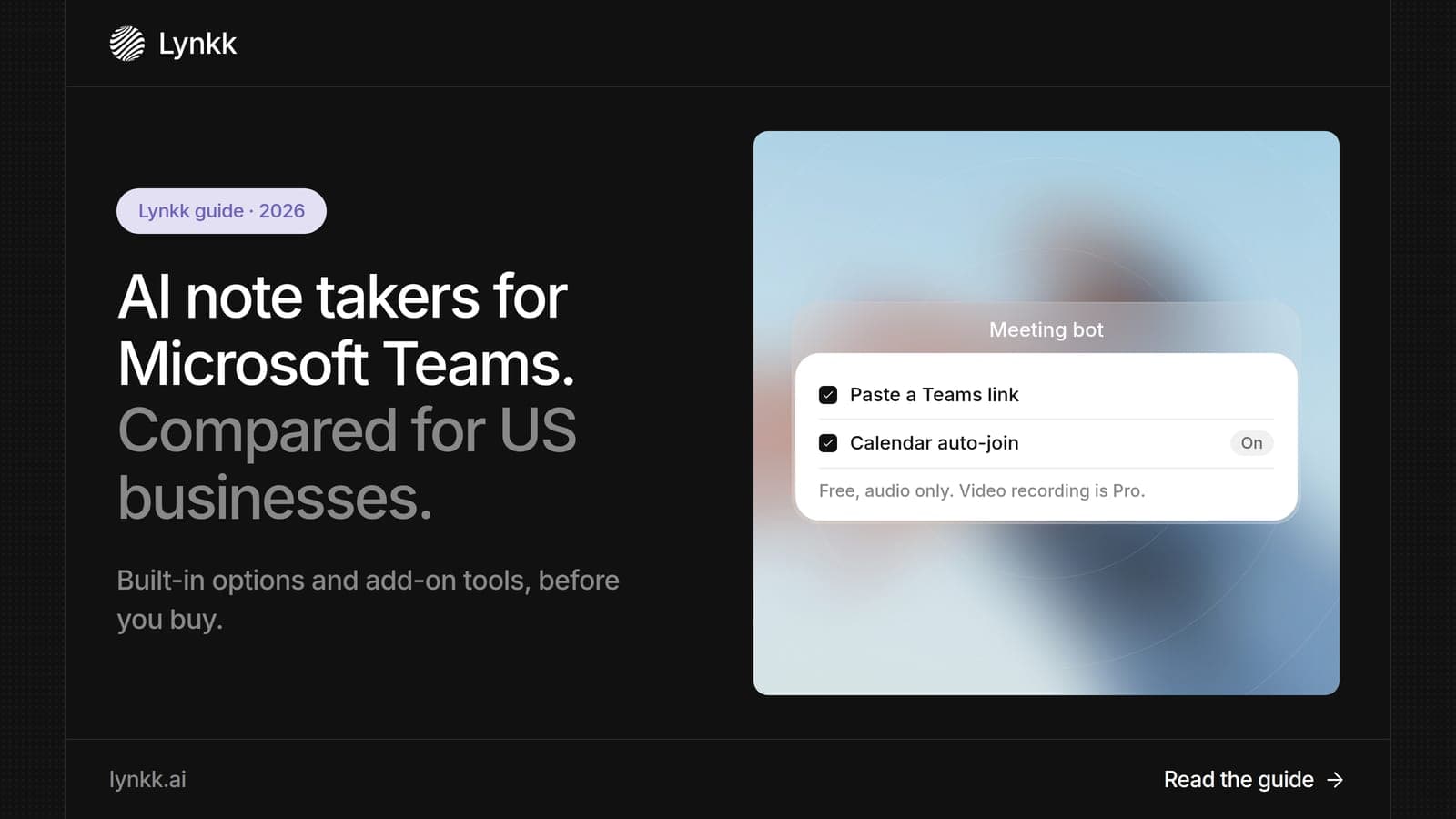
Quick answer: A Teams AI note taker records a Microsoft Teams meeting and turns it into a summary, decisions and action items. Lynkk is the best Teams AI note taker in 2026 because it records Teams with or without a bot, delivers notes, with action items you can send to Jira after the call, and covers Zoom, Google Meet and in-person meetings too. Microsoft's own Copilot costs $30 per user per month on top of a Microsoft 365 license.
Disclosure: This guide is published by Lynkk, and Lynkk is one of the tools reviewed. Microsoft details come from Microsoft Support and Microsoft Learn; other tools' details come from each vendor's own pricing page, checked on the date above.
We compared 7 Teams AI options, from Microsoft's own features to third-party meeting assistants.
| Rank and option | Best for | What you get | Cost |
|---|---|---|---|
| 1. Lynkk | Best Teams AI note taker overall | Notes, tasks, Jira, cited answers | Free; Pro $15/month |
| 2. Microsoft 365 Copilot | Companies all-in on Microsoft 365 | Recap and Q&A in Teams | $30/user/month add-on |
| 3. Teams Premium intelligent recap | AI recap without full Copilot | Recap of recorded meetings | Teams Premium license |
| 4. Teams built-in transcription | Free transcript in Teams | Transcript only | Included with Teams |
| 5. Otter | Live transcript in Teams | Transcript and notes | Free 300 min; Pro $8.33/user/month |
| 6. Fireflies | Searchable Teams call library | Transcript and summaries | Free; Pro $10/seat/month |
| 7. Fathom | Free Teams recording | Summaries | Free; paid from $15/user/month |
A Teams AI note taker is software that listens to a Microsoft Teams meeting and writes the notes for you: a summary, key decisions and action items. There are 2 kinds: Microsoft's own Teams AI features (Copilot and Teams Premium) and third-party assistants that join or record your Teams calls.
The right choice depends on 3 things: your Microsoft 365 licenses, whether you also meet outside Teams, and what should happen after the meeting.
We compared 7 options on 5 questions that decide which Microsoft Teams AI note taker fits a US business.
| Question | Why it matters |
|---|---|
| Which license does it need? | Copilot and Teams Premium are extra per-user costs |
| Does it write action items? | A transcript alone still needs someone to summarize |
| Does it cover Zoom, Google Meet and in person? | Most companies meet outside Teams too |
| Can it send tasks to Jira? | Follow-up is where time is lost |
| Does IT need to approve it? | Some tools need tenant permissions |
Lynkk is the best Teams AI note taker because it delivers structured notes in 17 languages and action items with owners, which you can send to Jira as 1 issue each, after every Teams call, and it does not need a Copilot license. It also records Zoom, Google Meet, Slack, WhatsApp and in-person meetings, so all your meetings share 1 searchable memory.
Lynkk records Teams in 3 ways, so you can match each meeting.
Lynkk goes beyond a recap in 4 ways that matter to busy teams.
Pricing: start free; Pro is $15 a month. See Lynkk pricing.
Microsoft 365 Copilot costs $30 per user per month as an add-on with an annual commitment, and it needs a qualifying Microsoft 365 license. In Teams, Copilot can recap meetings and answer questions about what was said.
Best for: companies that want Copilot across Word, Excel, Outlook and Teams, not only for meeting notes.
Where Lynkk goes further: Lynkk starts free, covers Zoom, Google Meet and in-person meetings as well as Teams, and lets you send tasks to Jira from the meeting.
Source: Microsoft 365 Copilot pricing page, checked September 30, 2026.
Teams Premium adds 3 main extras: intelligent recap, which summarizes recorded Teams meetings, live translated captions and advanced meeting controls. To use intelligent recap, each user needs a Teams Premium or Microsoft 365 Copilot license, and the meeting must be recorded and transcribed.
Best for: Teams-only companies that want AI recaps without buying Copilot for everyone.
Where Lynkk goes further: Lynkk needs no extra Microsoft license and turns the recap into owned tasks you can send to Jira.
Source: Microsoft Learn, checked September 30, 2026.
Microsoft Teams includes recording and live transcription at $0 extra, with the transcript available in the calendar event right after the meeting. Organizers can download it in 2 formats: .docx or .vtt.
Best for: teams that only need a written record, not a summary or action items.
Good to know: all participants see a notice when transcription starts, and it stops when everyone leaves. Organizers, co-organizers and presenters can stop and restart it during the meeting.
Where Lynkk goes further: a transcript is the raw material. Lynkk writes the summary, assigns action items and answers questions across every meeting.
Source: Microsoft Support, checked September 30, 2026.
Otter's free plan includes 300 transcription minutes a month, and Pro costs $8.33 per user per month billed annually. Otter shows a live transcript during the Teams meeting.
Best for: people who like to read along during Teams calls.
Good to know: Otter's Enterprise plan is custom-priced and adds HIPAA support, SSO and SCIM.
Where Lynkk goes further: Lynkk lets you send action items from the meeting to Jira, and shows live words during the call.
Source: Otter pricing page, checked September 30, 2026.
Fireflies includes unlimited transcription on all 4 plans, with 400 minutes of storage per team on the free plan. Pro costs $10 per seat per month billed annually.
Best for: sales teams that want to search past Teams calls by keyword.
Good to know: recordings are capped at 2 hours on the Free and Pro plans, and 3 hours on Business.
Where Lynkk goes further: Lynkk records in-person meetings and handles 17 languages with mid-sentence switching.
Source: Fireflies pricing page, checked September 30, 2026.
Fathom's free plan includes unlimited recordings, transcripts and AI summaries, and paid plans start at $15 per user per month. It works with Teams, Zoom and Google Meet.
Best for: individuals who want free Teams recordings with a summary afterward.
Good to know: new Team and Business plans no longer include free seats, so every member needs a paid seat.
Where Lynkk goes further: Lynkk also helps before and during the meeting, and records in-person conversations.
Source: Fathom pricing page, checked September 30, 2026.
Yes. Teams has 2 built-in Teams AI options: Microsoft 365 Copilot, a $30 per user per month add-on, and intelligent recap in Teams Premium. Without either license, Teams gives you recording and transcription, but no Teams AI summary.
Third-party tools fill that gap. A Microsoft Teams AI notes taker like Lynkk records Teams and writes notes and action items without an extra Microsoft license. You can start on the Free plan, and the meeting bot is free (audio only), while Pro at $15 a month adds video recording.
Yes. Copilot can take meeting notes in Teams when each user has a Microsoft 365 Copilot license ($30 per user per month) and the meeting is transcribed. Copilot meeting notes include a recap and let you ask questions about what was said. A Teams Copilot meeting summary is only available to users with that license.
For a 10-person team, that is about $300 a month on top of Microsoft 365. Lynkk starts free, and Pro is $15 a month.
Teams AI note takers cost between $0 and about $300 a month for 10 people, based on the lowest published prices checked on September 30, 2026.
| Option | Price per user | 10 people per month |
|---|---|---|
| Teams built-in transcription | Included | $0 (no AI summary) |
| Otter Pro | $8.33 | About $83 |
| Fireflies Pro | $10 | $100 |
| Fathom | From $15 | From $150 |
| Microsoft 365 Copilot | $30 add-on | $300 |
| Lynkk Pro | $15 a month | Workspaces: Pro for everyone |
Teams saves recordings in 2 places, depending on the meeting type. Channel meeting recordings go to the channel's SharePoint site in a Recordings folder, and other meetings go to the OneDrive of the person who pressed Record.
Transcripts appear in the meeting's calendar event right after the meeting. People often search "where do Teams recording go" after a call, and the answer above covers both cases. With Lynkk, notes, transcripts and action items from every Teams call sit in 1 searchable workspace instead.
You can get Microsoft Teams AI meeting notes in 4 steps with Lynkk, with no Copilot license needed.
With Microsoft's own tools, a user needs a Copilot or Teams Premium license, and the meeting must be recorded and transcribed.
The best Teams AI note taker depends on what your team does after each meeting. Here is how 4 common US teams use Lynkk on Microsoft Teams.
| Team | What they need after a Teams call | How Lynkk helps |
|---|---|---|
| Sales | Next steps and owners | Writes next steps and assigns follow-ups |
| Product and engineering | Decisions turned into tickets | Sends action items to Jira, one issue each |
| HR and recruiting | Accurate interview records | Speaker-labeled transcripts in 17 languages |
| Leadership | Context across many meetings | Cited answers across every call |
If your team only needs a written record of Teams meetings, the built-in transcript is enough. If you need the follow-up done for you, pick a Microsoft Teams AI note taker that connects to your tools.
Check 5 things before you roll out any Teams AI note taker across a company. These questions come up in almost every IT review.
Lynkk keeps recordings private to your account, shows a visible bot when it joins, and covers every platform in 1 account.
A Teams AI note taker is secure enough for business when it passes 3 checks: it encrypts data, explains how meetings are stored and does not train on your meetings.
Ask which encryption it uses; the NIST Advanced Encryption Standard (FIPS 197) is the usual benchmark, and the EU General Data Protection Regulation (GDPR) applies if you meet people in the EU. Lynkk keeps recordings private to your account. It never trains models on your conversations. Details are on the Lynkk security page.
Recording consent still applies. Federal law (18 U.S.C. § 2511) allows recording with 1 party's consent, but some states require every participant to agree, so announce your note taker at the start of each call.
This is general information, not legal advice.
Popular Reddit searches such as "best AI note taker for Microsoft Teams" and "Otter AI vs Copilot" point to 3 recurring concerns.
Lynkk is the best Teams AI note taker in 2026. It records Microsoft Teams with a bot or without one, delivers notes and action items you can send to Jira after the call, and covers Zoom, Google Meet and in-person meetings too, all without a Copilot license.
Teams includes free recording and transcription, but 2 of its AI features cost extra. Microsoft 365 Copilot is a $30 per user per month add-on, and intelligent recap needs Teams Premium or Copilot. Lynkk adds AI notes and action items to Teams on a free plan.
It depends on your company's Microsoft 365 settings, so check with IT first. Lynkk offers 2 ways to record Teams: a meeting bot that joins from your calendar, and a Chrome extension that records Teams in the browser with no bot in the meeting.
Microsoft 365 Copilot's meeting recap is built into Microsoft Teams meetings and needs a Copilot license. If your company meets on 2 or more platforms, a cross-platform note taker such as Lynkk records Teams, Zoom, Google Meet and in-person meetings in 1 place.
Accuracy depends on audio quality, accents and people talking over each other. Lynkk transcribes Teams calls in 17 languages, 4 of them in beta with speaker labels. For best results, ask attendees to use headsets and to avoid talking over each other on important calls.
Yes, Lynkk can. After a Teams meeting, open the note and press Send: Lynkk creates 1 Jira issue per action item, in the project and issue type you pick, with the owner and due date from the meeting. Your team then works the issues in Jira like any other item.
Microsoft's Teams AI features work well if you live entirely inside Microsoft 365 and can pay $30 per user per month. For everyone else, Lynkk is the best Teams AI note taker: it starts free, records Teams with or without a bot, lets you send action items from meetings to Jira, and covers Zoom, Google Meet and in-person meetings too. Start free with Lynkk.
Ask an AI to summarize this article
Keep reading
AI note takers
Compare 8 free AI note taker plans for 2026: minutes, meeting caps and history limits. See why Lynkk is the best free AI note taker for every meeting.
AI note takers
Compare the 9 best AI note taker apps for 2026. See why Lynkk leads for Zoom, Teams, Google Meet and in-person meetings, with free plans and all prices.
Meeting recording
Compare 7 Zoom meeting recorder options for 2026, from free local recording to AI notes. See why Lynkk is the best Zoom meeting recorder for US teams.
Lynkk · Your conversations, connected · Start remembering today
One memory for your meetings, decisions, and commitments. Find context, get answers, and keep moving.