AI note takers
The Best AI Note Takers in the US for 2026, Compared Online and In Person
Fathom, Otter, Fireflies, Granola, Read AI and more side by side: free limits, paid plans from $8.33, bot or bot-free, and fit for Zoom, Teams or Meet.
AI note takers
 By Samarth Wagh7 min readPricing checked 23 October 2026
Summarize this article with
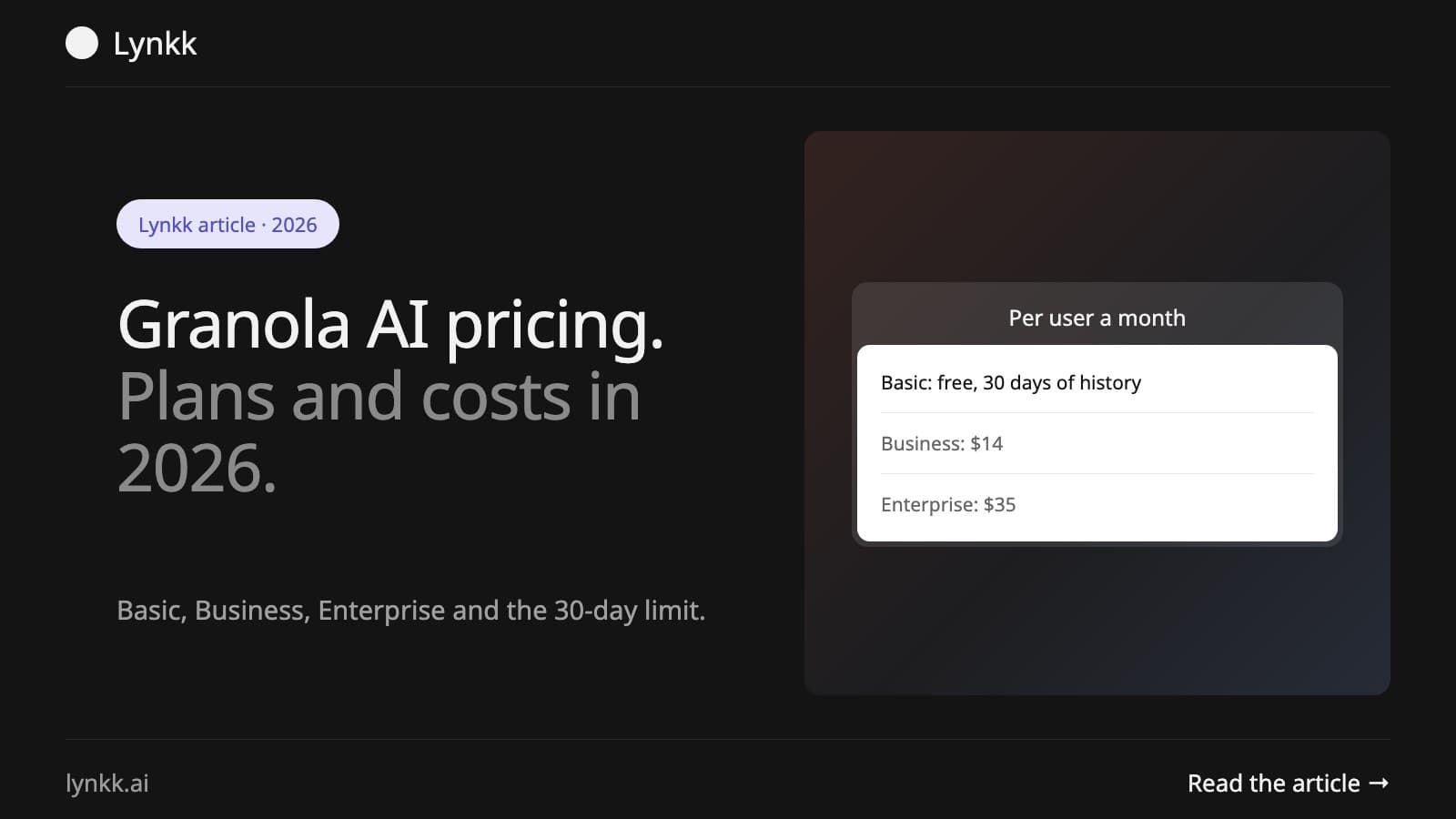
Quick answer: Granola has three plans, all with published prices. Basic is $0 but keeps only 30 days of meeting history. Business is $14 per user per month and makes history unlimited. Enterprise is $35 per user per month and adds SSO, SCIM, HIPAA workspaces and Salesforce. No annual discount is advertised on the pricing page.
Disclosure: Lynkk publishes this guide and makes a competing AI meeting assistant.
Granola AI pricing is unusual in this category: it publishes all three prices and meters nothing. There are no minute allowances, no credit systems and no per-meeting caps. One limit does the work of all of those, and it is how long your notes survive.
Granola AI pricing runs $0, $14 or $35 per user per month. Those are monthly per-user prices, and the pricing page advertises no annual discount, which is rare enough in this market to be worth planning around.
| Plan | Price per user per month | Meeting history | Built for |
|---|---|---|---|
| Basic | $0 | 30 days | Trying it out |
| Business | $14 | Unlimited | Individuals and small teams |
| Enterprise | $35 | Unlimited | Companies with an IT review |
Basic costs nothing and includes the full capture experience. That covers AI meeting notes, bot-free capture from your device's audio, and apps for desktop, iOS, Android and Apple Watch. It also includes speaker tagging, custom note templates, multi-language support, shared folders, Slack integration, AI chat within and across meetings, and Recipes.
It also includes the security baseline most competitors reserve for paid tiers: SOC 2 Type II, a DPA available, audio deleted after transcription, and a per-user option to opt out of model training.
What Basic does not include:
MCP access on Basic reaches only your personal notes from the last 30 days.
For a two-week trial, no (see the best free AI note takers for how that compares). For any work where you look back at what a customer said last quarter, the 30-day window is the entire reason the paid plan exists, because notes older than a month are simply gone from your history.
The practical test: think about the last time you needed something from a conversation. If it was within the month, Basic covers you. If you were reconstructing a commitment made in a kickoff call three months ago, it does not.
Granola business pricing is $14 per user per month, which is $168 per user per year, or $1,680 a year for a team of ten. It removes the history limit and adds the features that turn a notepad into a workflow.
Granola enterprise pricing is $35 per user per month, two and a half times Business, and it is the compliance and admin tier rather than a feature upgrade. For ten people that is $4,200 a year against Business's $1,680.
Enterprise adds:
One placement decides this tier for a lot of sales teams: HubSpot is on Business, Salesforce is Enterprise only. If your team runs on Salesforce, Granola costs $35 a user, not $14.
Granola team pricing does not exist as a separate tier: it prices per user, so a team of ten on Business pays ten times $14. Centralized billing and user management arrive at Business, which is what makes buying for a team practical rather than cheaper.
| Plan | Per user per year | 10 users per year |
|---|---|---|
| Basic | $0 | $0 |
| Business | $168 | $1,680 |
| Enterprise | $420 | $4,200 |
Granola pricing offers no middle option between $14 and $35, so a single requirement such as SSO moves the entire company to the top tier.
Granola runs a startup program, a student program and a nonprofit program, each with its own eligibility page. Check all three before buying seats, because the discount is applied at signup rather than refunded later.
The company also contributes 1.5% of subscription revenue to carbon removal through Stripe Climate.
The pricing page lists monthly per-user prices for all three tiers with no annual discount advertised. That is unusual: most tools in this category cut 20% to 50% for annual commitment, so Granola's $14 is closer to a true cost than a competitor's headline annual rate.
When comparing, put competitors on their monthly price, not their annual one, or Granola looks more expensive than it is.
API access is included on Business and Enterprise, and excluded from Basic. Enterprise adds admin controls over who can use the API, alongside the same controls for MCP and integrations.
Bot-free capture is part of Granola note taker pricing on every plan: it records from your computer's audio rather than joining the call as a participant, so nothing appears in the attendee list. Capture therefore depends on the app running on a machine that is in the meeting.
There is a per-user setting that tells other people Granola is in use, and on Enterprise an admin can enforce that notification across the company. If your legal position is that participants must be told a recording is happening, that is a policy you enforce by asking people on Basic and Business, and a setting you configure once on Enterprise.
Lynkk's free plan is $0 with no card: unlimited notes of up to 2 hours each, and the first 5 hours of AI summaries in total, not per month. After that, notes still record and transcribe, without summaries. The meeting bot for Zoom, Google Meet and Microsoft Teams is free on every plan, the Mac app also records in-person meetings and WhatsApp, FaceTime and Webex calls, and the Chrome extension captures calls without a bot. Within those 5 hours, and on Pro, each call gets a summary, action items with an owner and due date, and a recap email. Lynkk Pro is $15 per person a month, or $9.75 a month billed yearly ($117 a year), and adds unlimited summaries and Ask Lynkk, which answers questions across all your notes with numbered sources. Spotter, in development in the Mac app, helps during a call from your screen and the conversation, with early access on Pro by request. Enterprise is a custom price for up to 10 people on one bill, sold through a demo.
Two differences. Granola's free plan limits how long you keep notes; Lynkk's free plan keeps every note and limits AI summaries to the first 5 hours in total, so nothing disappears after 30 days. And Granola connects to HubSpot on Business and Salesforce on the $35 Enterprise tier, while Lynkk does not sync with a CRM today: action items go to Jira, answers go to Slack, and you can copy any summary into your CRM. Both can capture without a bot: Lynkk through the Mac app and the Chrome extension, with a meeting bot as an option. The full breakdown is on the Lynkk vs Granola comparison.
How much does Granola cost? Basic is free, Business is $14 per user per month and Enterprise is $35 per user per month. All three prices are published.
Is Granola free? Yes, the Basic plan costs nothing and includes AI meeting notes, bot-free capture, shared folders and AI chat. Meeting history is limited to 30 days.
What happens to my notes after 30 days on the Granola free plan? They leave your meeting history. Upgrading to Business at $14 per user restores unlimited history.
Does Granola have an annual discount? The pricing page lists monthly per-user prices for every tier with no annual discount advertised.
Does Granola work with Salesforce? Salesforce is listed under advanced integrations on Enterprise only. HubSpot, Notion, Attio, Affinity and Zapier are on Business.
Does Granola train AI models on my meetings? You can opt out of model training on any plan. On Basic and Business it is a per-user setting; Enterprise makes it workspace-wide.
Does a bot join my meetings with Granola? No. Granola captures audio from your device, so no extra participant appears in the call.
Sources: Granola pricing page and Mixmax's review of AI note takers for sales, checked 23 October 2026. See also the best AI note takers compared.
Ask an AI to summarize this article
Keep reading
AI note takers
Fathom, Otter, Fireflies, Granola, Read AI and more side by side: free limits, paid plans from $8.33, bot or bot-free, and fit for Zoom, Teams or Meet.
AI note takers
Free AI note taker plans compared: Fathom's unlimited recording, Otter's 300 minutes, Granola's 30-day history and 5 more, plus what each upgrade costs.
AI meeting assistants
Most AI meeting tools only summarize afterward. See which of 8 assistants also help before and during the call, with free plans and prices for each.
Start remembering today
Find context, get answers and keep moving.